Getting started
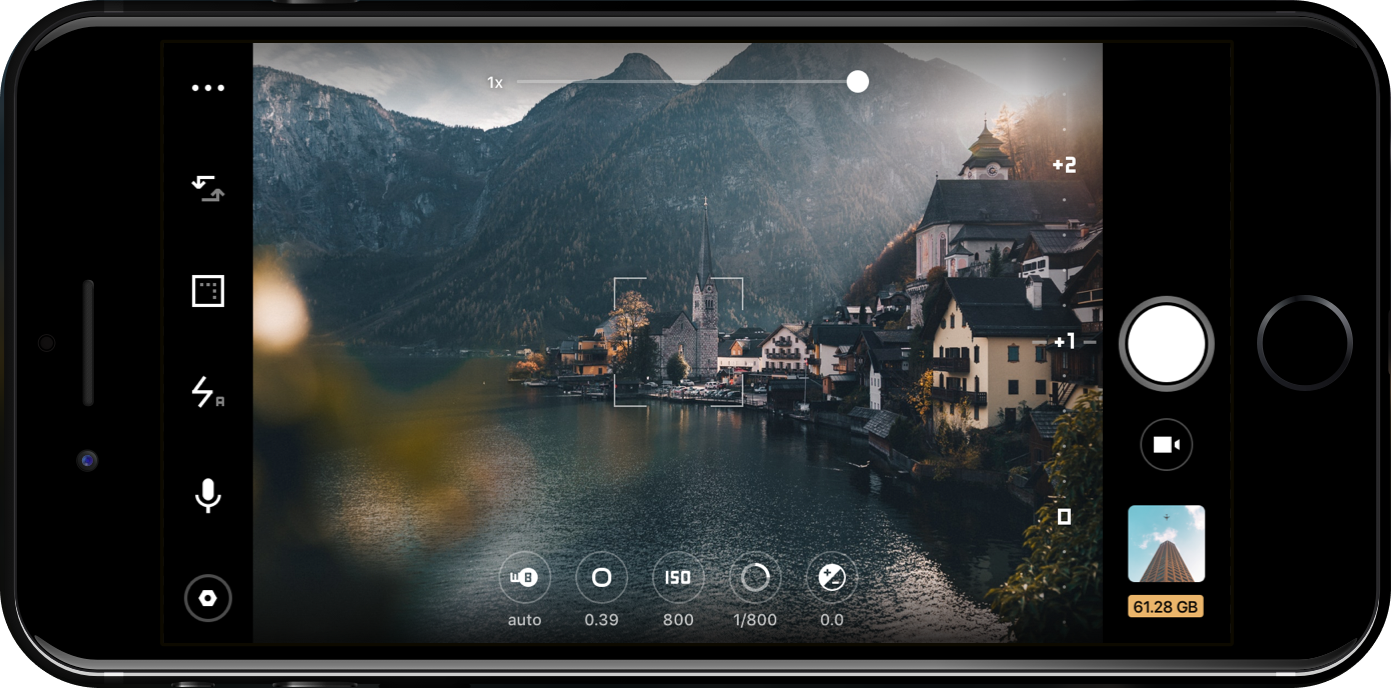
Camera selection
Select between front/primary camera, as well as main and telephoto camera on select phone models.
Manual camera controls
Allows you to control settings like white balance , shutter speed , zoom , focus and exposure compensation .
Home screen with hotspots
- Top info bar (linked to top information bar)
- Menu (linked to open menu image with hotspot)
- Camera switch (linked to camera selection)
- Video settings/format ( linked to format )
- Torch (linked to torch)
- Microphone (linked to audio)
- Settings (linked to settings/account)
- Audio levels/histogram
- Manual control bar/section (linked to manual camera controls)
- Gallery (linked to gallery)
- video/photo switch
- record/stop button
- Focus peaking (linked to focus peaking)
- Presets (linked to presets)
2. Home screen with open menu and hotspot
- Digital slate (linked to digital slate)
- hardware (linked to hardware)
- Image stabilization (linked to image stabilization)
- Guides (linked to level/grid/guides)
- Screen brightness (linked to screen brightness)